Tools for working drone pilots
One record for the job, its preflight briefing and its invoice. VLOSready doesn't request airspace authorization; keep your LAANC app for that. Export the year for your accountant. Each job checks your certificate, aircraft and insurance, runs preflight checks for weather, TFRs and airspace, logs the flight, and turns the quote into an invoice; on a job that needs authorization, one tap copies the site, altitude and window for your LAANC request, and VLOSready checks the job against the authorization you record.
Job readiness
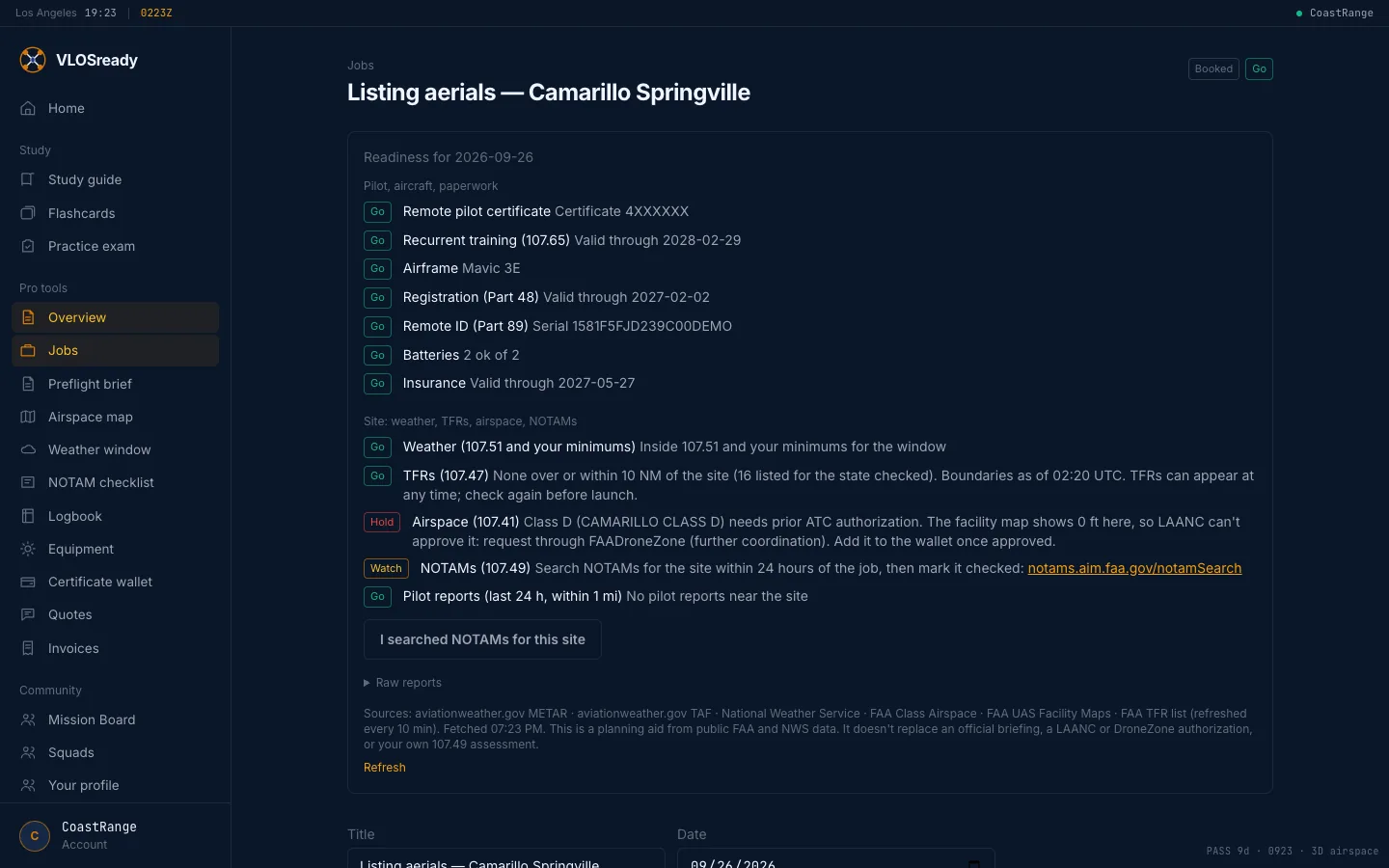
Create a job and it checks you against it: your certificate and recurrent training, the aircraft's registration and Remote ID, and insurance on the day. Each line says Go, Watch or Hold, and why.
Preflight checks
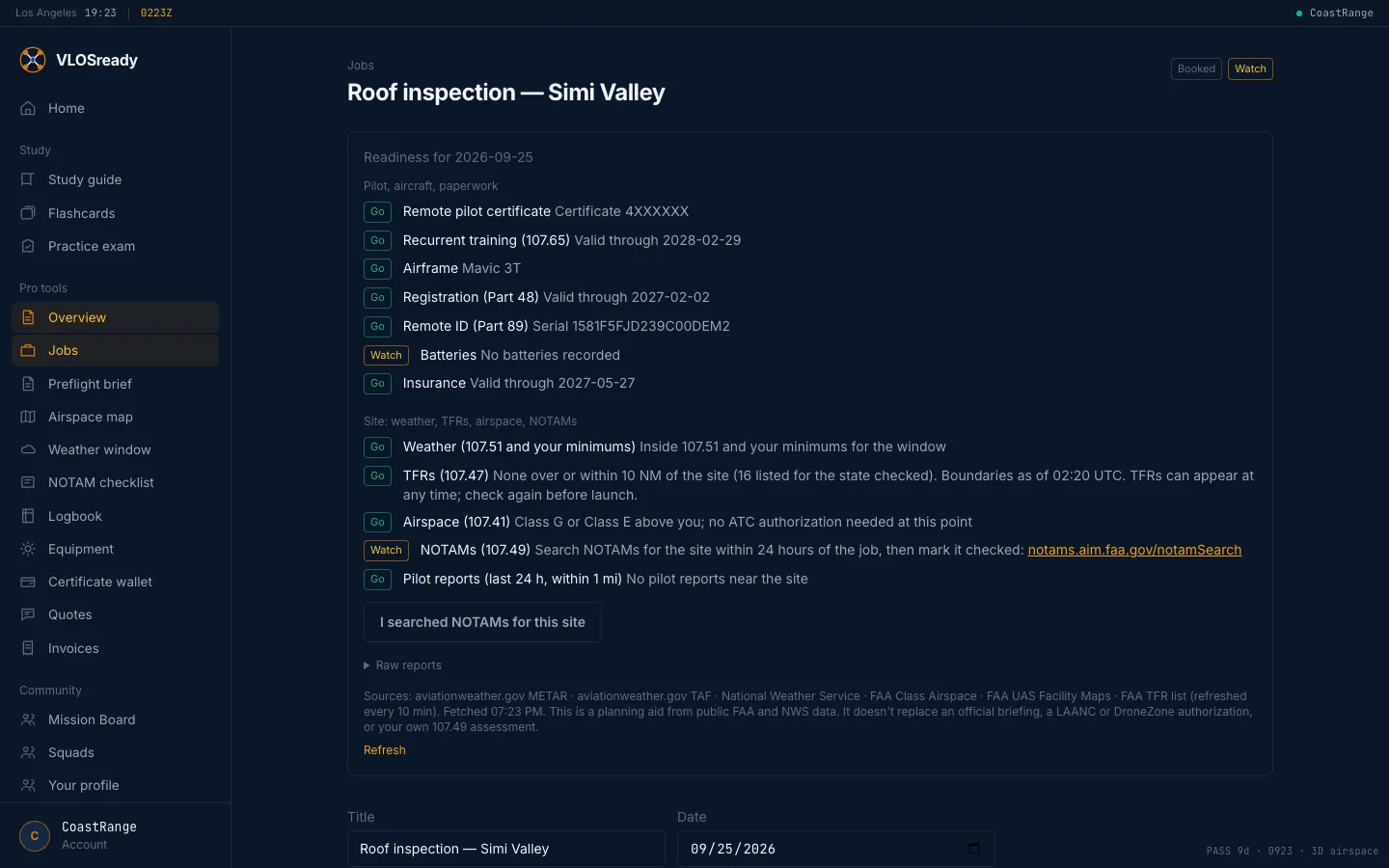
Weather against Part 107's limits and your own minimums, TFRs, and the airspace and LAANC ceiling at the site, in one place. When a source can't be read it says Watch, never Go. A NOTAM step on every job links to the FAA's official search and records when you checked.
Airspace map
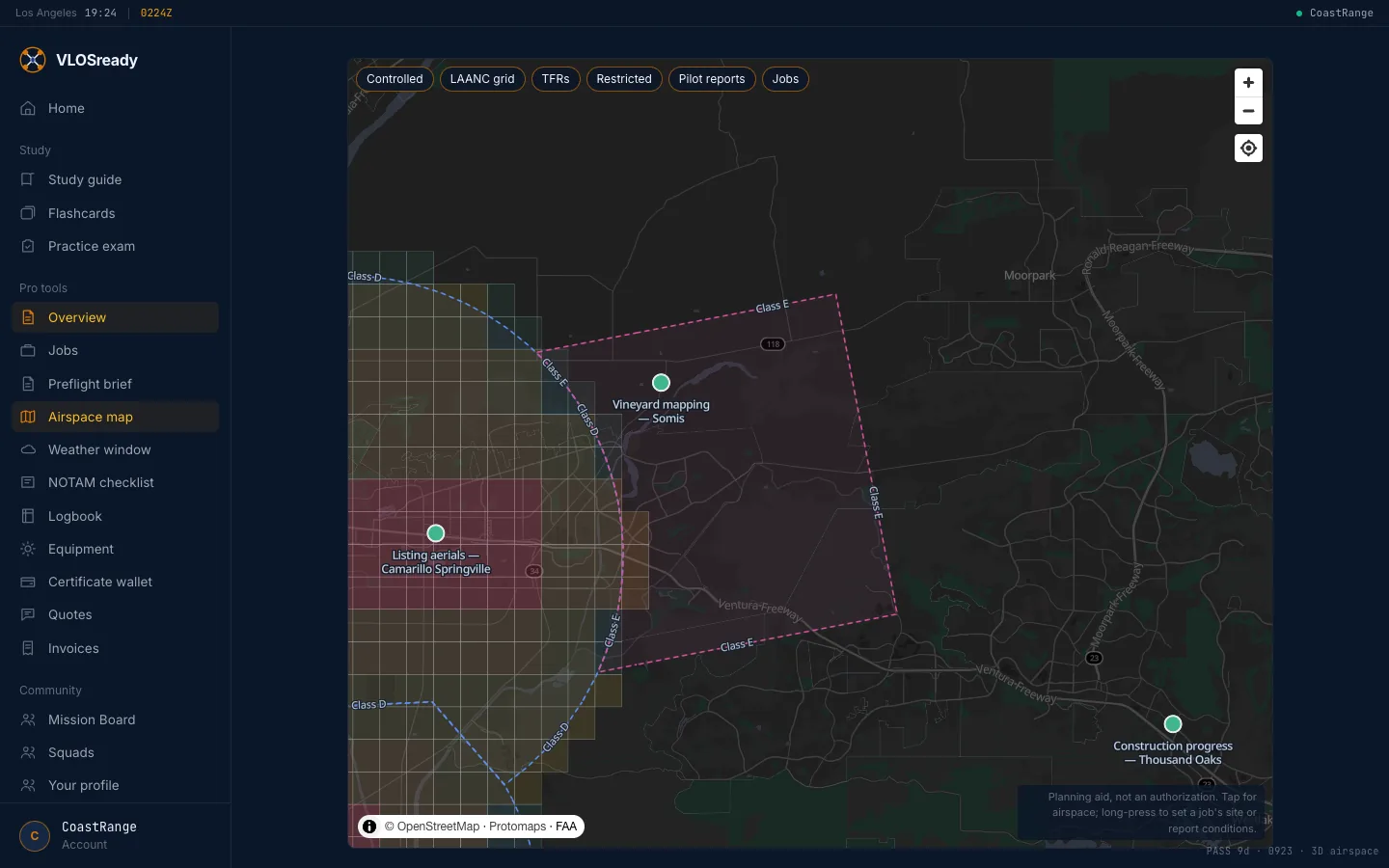
Class B, C and D drawn the way the sectional draws them, the LAANC grid with its ceilings, TFRs, pilot condition reports and your jobs. Tap anywhere for the same airspace check a job runs.
Weather window planner
The National Weather Service hourly forecast for a site, the week ahead, scored hour by hour against your own wind, gust, thunder and precipitation minimums.
Logbook and equipment
Flights log from the job, with incidents recorded inside the flight, and export to CSV. Import your Airdata or Litchi flight logs straight onto a job; a flight already in the logbook is skipped. Airframes and batteries are tracked, and each flight counts battery cycles.
Certificate wallet
Your certificate and recurrent training date, each aircraft's registration and Remote ID serial, insurance, waivers and authorizations, with dates that warn you before something lapses.
Quotes and invoices
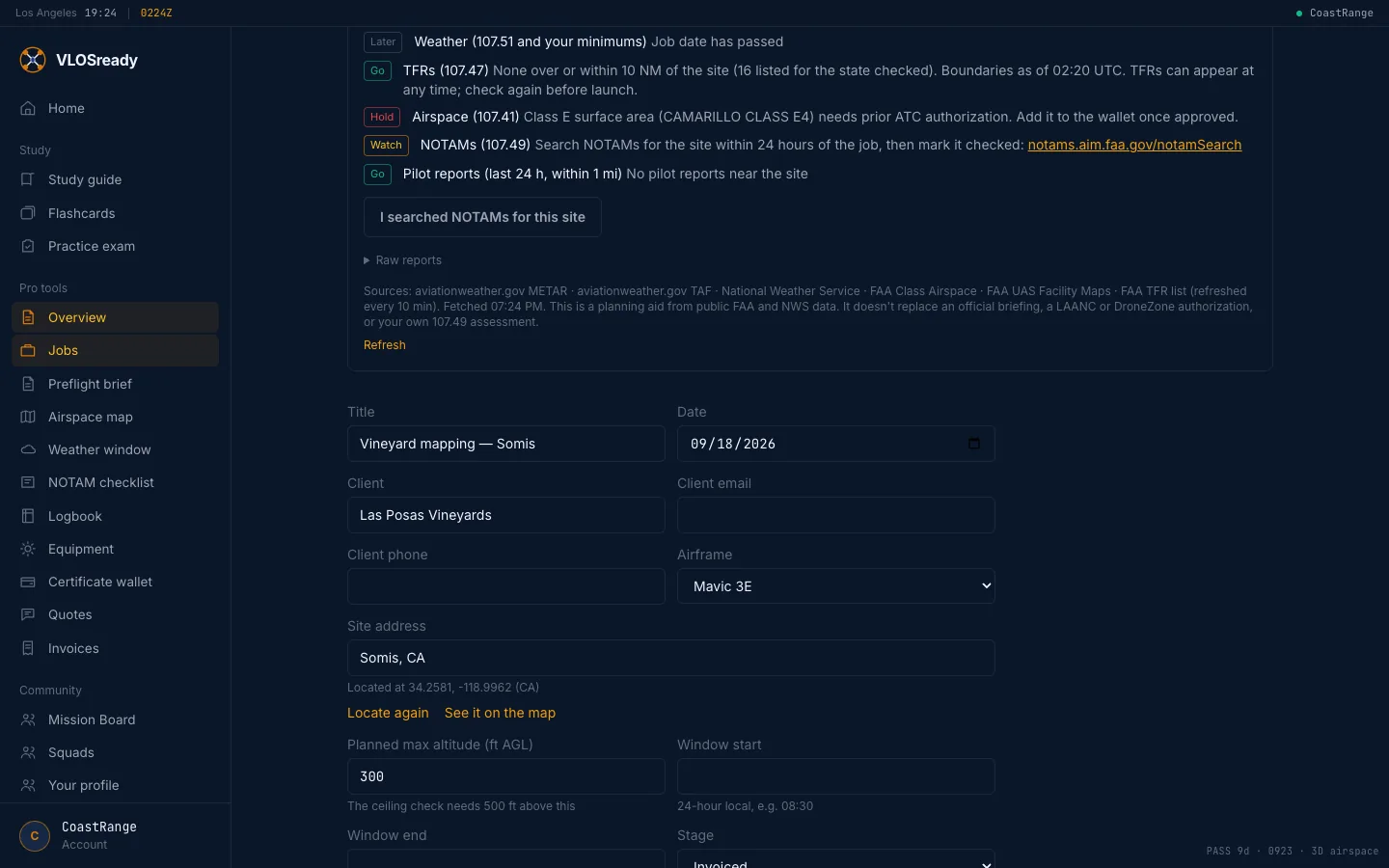
A quote becomes the job when you mark it accepted. The invoice comes from the quote, prints or saves as a PDF, and a paid invoice closes the job.
Job record
One page per job for a client, an insurer or an adjuster: the site, date and window, the aircraft with its registration and Remote ID, your credentials on file, each preflight briefing as it stood when you reviewed it (saved, never edited afterwards), the flights, the invoices and the delivery link. Print it or save it as a PDF.
Expenses, mileage and year-end books
Log expenses with a photo of the receipt and business miles at the IRS rate for the day you drove. The year's books total what you were paid, by month and by client, with expenses by Schedule C line, and download as CSV files for your accountant, QuickBooks or Wave.
Mission Board
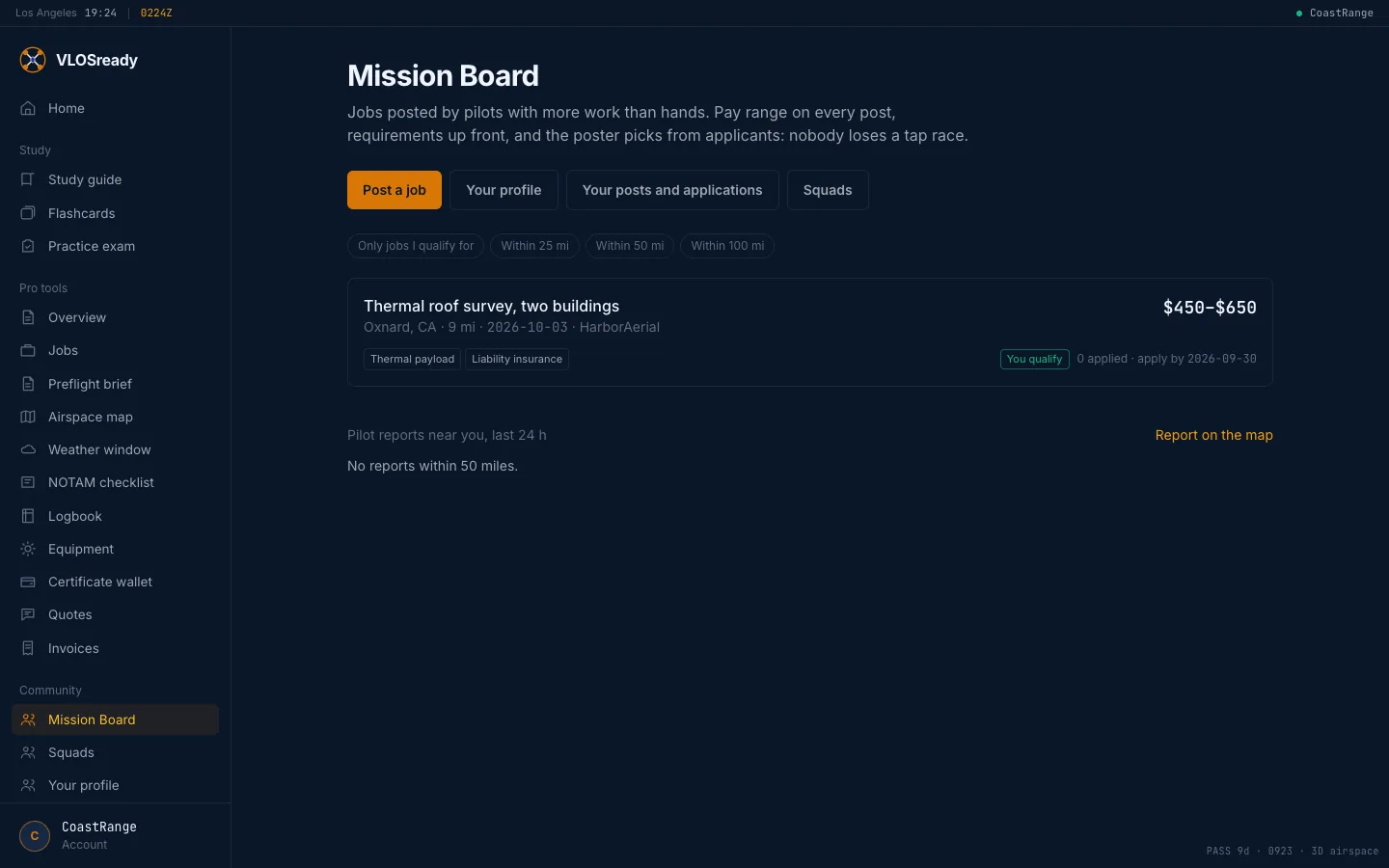
Post a job you can't take, or pick up another pilot's overflow. The pay range is up front, requirements are checked against your wallet and equipment, and contact details go only to the pilot picked.
Your data
Download everything in your account as one file at any time: study progress, jobs, flights, quotes, invoices, expenses and mileage.
See what it costs on the pricing section, or start with the test prep.